Homeward Guide Co. / Inside the build
Who gets the dining table?
An oak table has a photo, two interested relatives and a pickup day. Follow the decision from a room inventory through the family portal to the sheet a guide carries into the house.
On this page
System trace
Follow the table to pickup day
Guide’s project record
A new project starts with an empty inventory. The guide records the table in its room during the assessment.
- List the item · Guide’s project record
A new project starts with an empty inventory. The guide records the table in its room during the assessment. Dining room · dining table and chairs
- Compare votes · Family portal
Relatives add preferences and notes. Two or more matching votes with no dissent among votes cast offer a person the option to apply that choice. Member preferences · one vote per member and item
- Save the decision · Household state store
A member applies a decision. Choosing Family can record the recipient separately from the person who made the decision. Room and item IDs · choice · deciding member · optional recipient
- Print the handoff · Walkthrough inventory
A fresh read combines the rooms with saved choices and produces a dated inventory the guide can take to the house. Printed row · decision and attribution as of printing
The last item in the dining room
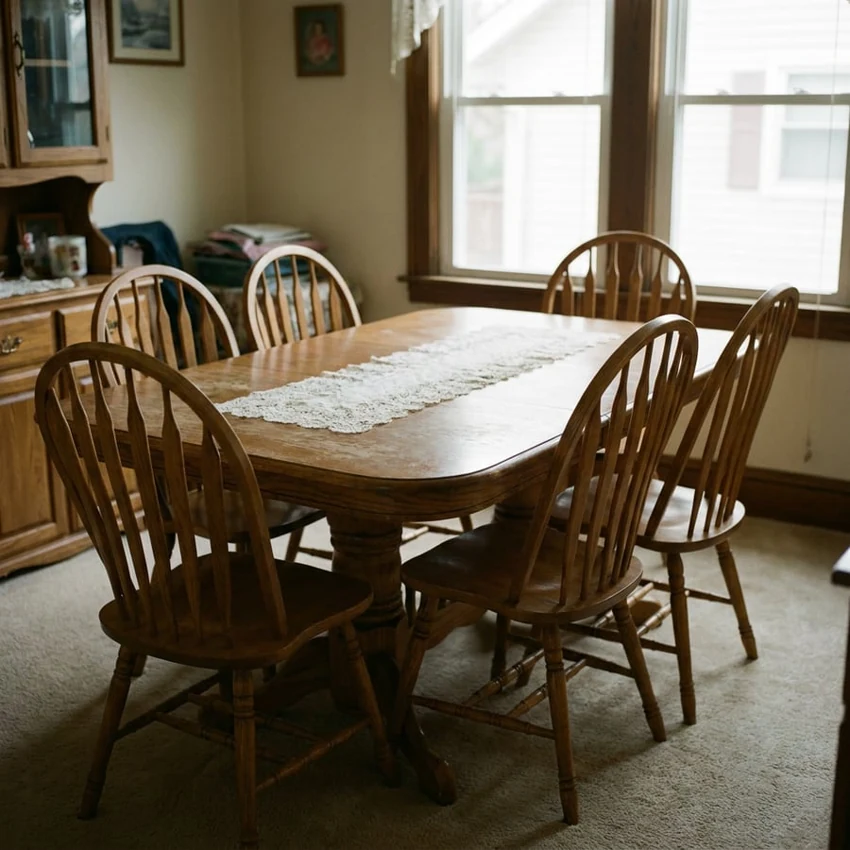
In Homeward’s fictional sample household, the china is boxed for Sarah and the sideboard is listed for sale. Dan has left a note about the six-seat oak table. He would like it and can bring a truck on a Saturday. The table still reads Unsure. A preference, a plan and a decision are three different things to the guide opening the door on pickup day. The software has to preserve all three. Explore the sample family portal
I built Homeward Guide Co. to help Western Pennsylvania families handle a move, downsizing project or estate cleanout. A public estimate helps a family judge the scope of work. Once staff open a project, the portal gives people in different places a common inventory, a way to work through decisions and a dated sheet to take into the house. See the planning estimate
Architecture diagram
How the walkthrough sheet gets its answer
The guide’s inventory, the family’s additions and the household’s decisions have distinct owners. They come together again when someone opens or prints the inventory.
Collect preferences. The project and family additions establish which items exist. Votes and notes record what individual members want for one item. Agreement makes a choice available for someone to apply.
Apply and print. The decision editor saves the household’s choices. A fresh read overlays them on the current room and item IDs. The printed sheet can name both the person who decided and the person receiving the item.
How three records make one room
A new project starts with service-specific phases and an empty inventory. The guide’s project holds the rooms, item descriptions, starting decisions and questions created during the assessment. The household state holds family-added rooms and items, votes, notes, answers and changes to decisions. A third representation, the effective inventory, exists on read. The server combines the guide’s rooms with family additions, overlays the choices for each item, then recalculates room progress. A newly added family item enters as Unsure.
The link between those records is the pair of room and item IDs. For the sample table it is dining-room/dining-table. Changing the table’s display name under the same IDs preserves its votes and decisions. Two different items called “End table” can coexist because the project assigns distinct IDs. Removing the table from the effective inventory prevents a stale client’s table key from being accepted on a subsequent save. This is why joining on a visible furniture name would be a poor fit for the house.
The public demo reuses a fictional guide project while giving each visit its own state. Sample changes age out after three days from the first save. A visitor can try the decision flow without changing what the next family touring the demo sees.
Two ways a conversation becomes a decision
A vote is a small action against one item. The family route takes the author from the signed-in member and checks that the item exists in that household’s inventory. It keeps one vote per member name and item. If Dan changes from Family to Donate, his vote moves. If he withdraws it, the vote disappears and his pickup note stays. The item’s actual decision and the room’s completion count remain as they were.
When at least two votes agree and nobody who voted dissents, the interface offers a person the option to apply that choice. It counts votes cast, so an absent relative does not have to vote before the button appears. If Sarah applies Family and selects Dan as recipient, the saved choice records the decision alongside separate names for the person who made it and the person receiving the item. Changing the choice to Donate clears the recipient. Older records containing only a decision string still display through the same read path.
There is another route to settling the table. The sample guide has explicitly asked where it should go, with options mapped to item decisions. Answering “Sell it” records the answer and its author, marks that question resolved and writes Sell against the table in the same household document. A free-standing note has no such effect. The mapping makes the downstream consequence of an answer explicit while leaving informal discussion open.
What a successful save means
The browser edits its copy immediately and waits 600 milliseconds after the last change before sending a save. Its request includes the decision for every visible item and the resolved approval IDs. The server reconstructs the currently valid set of keys, accepts recognized decisions and replaces the household’s decision map with the submitted map. It keeps other fields such as family input from the stored document. A failed request changes the save indicator, leaving the family’s edits on screen for the next attempt.
Sending a full snapshot gives the system a straightforward read path. A guide opening the printable inventory gets the rooms assembled from the current project and household state, including recipient and decision author. An item counts as decided when it has moved past Unsure. A room becomes complete only when it contains at least one item and every item has a decision. The printout carries the date, so someone holding a paper copy can see when it represented the house.
What two edits reveal about the write boundary
I exercised the real state reader, writer and progress calculation using an isolated copy of the fictional dining room and the app’s local file driver. Sarah and Dan each began with a copy of the same three items. Sarah assigned the table to Dan. Using the copy he already had open, Dan then changed the sideboard to Donate. Each write completed before the next began. The china stayed assigned to Family throughout.
| Read after | Oak table | Sideboard | Dining room |
|---|---|---|---|
| Both people open the project | Unsure | Sell | 2 of 3 decided |
| Sarah saves her copy | Family, going to Dan, decided by Sarah | Sell | 3 of 3, complete |
| Dan saves his older copy | Unsure | Donate, decided by Dan | 2 of 3, in progress |
Dan changed one row on screen. His request also carried the older Unsure value for the table. The print page reads exactly that final state and would omit Sarah’s pickup assignment. The isolated exercise establishes the behavior with sequential saves. How often two real relatives overlap remains an open operational question.
The change I would make before pickup day
I would save one item per direct decision. Each edit would carry its room and item IDs, the desired decision and recipient, and the revision the editor saw. The server could establish authorship from the member’s session and condition the write on the stored revision. Independent item records or a transactional merge would let a table edit and a sideboard edit both succeed. Changing the request shape alone would still leave a race if two writers independently read and replace the same household document.
For the same table, a revision mismatch should bring back the current decision and its author so the second person can choose whether to replace it. My acceptance test would run both the independent-item and same-item cases against the production storage driver in a test environment, reopen both portals and print the sheet. The first case should preserve both choices. In the second, the guide should get exactly the decision the family last confirmed, with the right name beside the truck.
Review notes
Corey Crooks built Homeward Guide Co.. This walkthrough draws on the product and its implementation.
- Traced the managed project, per-household additions and choice overlay, vote and approval handlers, debounced decision save, derived progress and authenticated print view.
- Thirty-six checks passed across five existing suites for project edits, family input, sample isolation, presentation and progress. A separate isolated file-driver exercise reproduced the dining-room state sequence in the table.
The stale-snapshot exercise used two in-memory copies, sequential writes and fictional sample data. Physical devices, production Blob concurrency and real household conflict frequency were outside this review.